
Product / Resolve
Resolve · Helpdesk and ticketingEvery customer and employee request, tracked until it is solved.
Every customer and employee request becomes a tracked ticket. Alci routes it to the right team and escalates anything that waits too long.
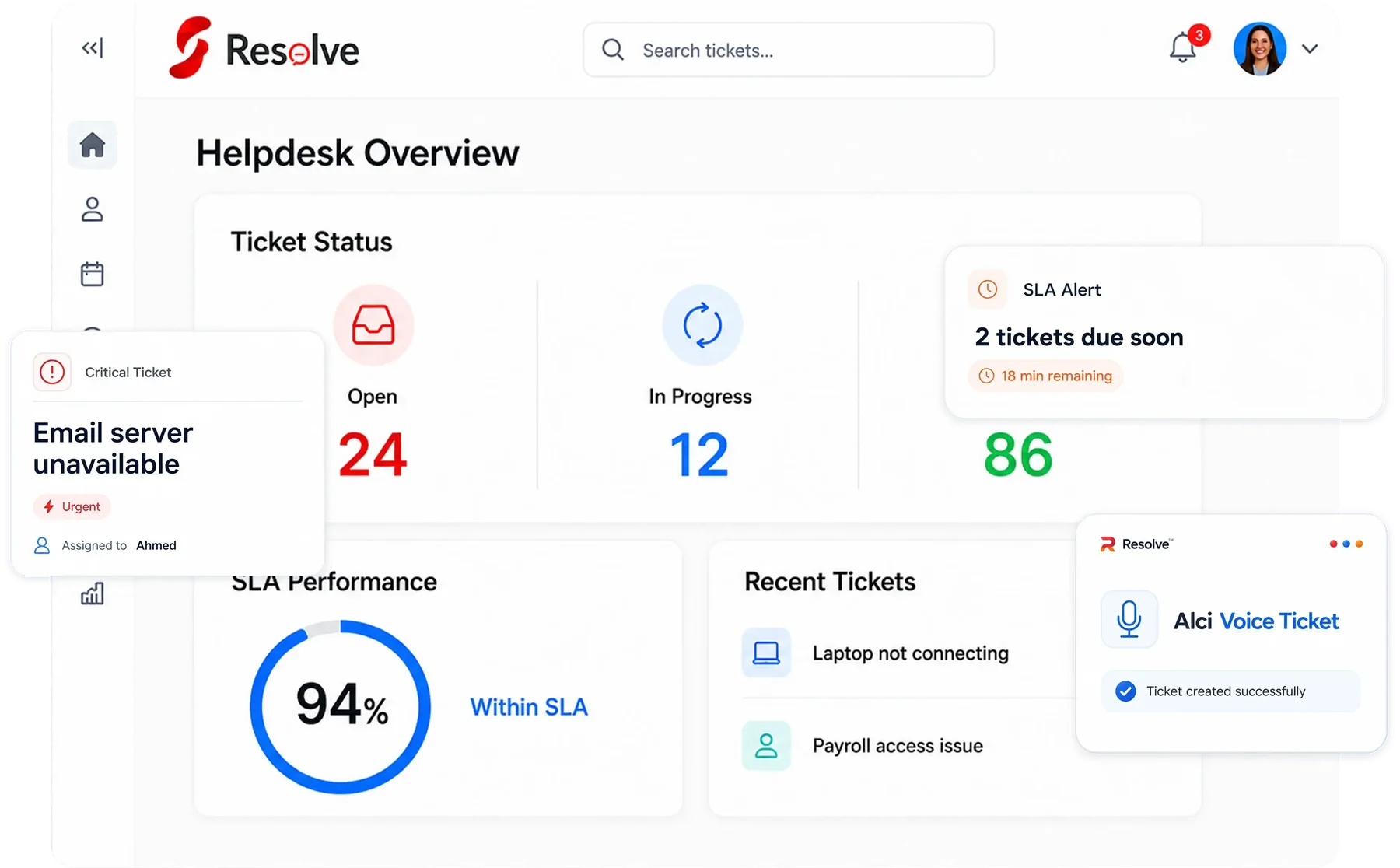
Where the work usually gets stuck
This is what Resolve looks like in most companies today, for the business and for the people doing the work.
A customer has asked the same question three times on three channels, and three people think someone else is handling it. Synclo turns every request into one ticket with one owner.
A slow or lost answer costs more than the problem itself.
Without numbers, support quality is a feeling.
The critical request waits behind twenty easy ones.
“I answer the same question thirty times a day.”
“I assign every ticket by hand, all day.”
“I don't know who to ask when my laptop breaks.”
The same week, told twice.
First the way it usually goes, then with Synclo on the team. Same work, same people — watch the number.
What happens after you upload your first file
Synclo reads your Resolve data once. After that, a few words are all it takes. Click any step, or watch it play.
- 1
Read
Reads every email, chat and form request.
You typeConnect our support inboxRead 1,900 requests from email and chat - 2
View
See what customers and staff need, grouped by topic.
You typeWhat are people complaining about today?Today's top issue: laptop access - 3
Edit
Change tickets by saying so.
You typeMake this urgent and give it to IT.Ticket 4833 is urgent and with IT - 4
Run
Run escalations and replies with one command.
You typeEscalate anything waiting over 24 hours.3 tickets escalated to team leads - 5
Learn
Learns your answers, and resolves repeat questions itself.
You typeHandle cases like these from now on.Autopilot now solves repeat requests
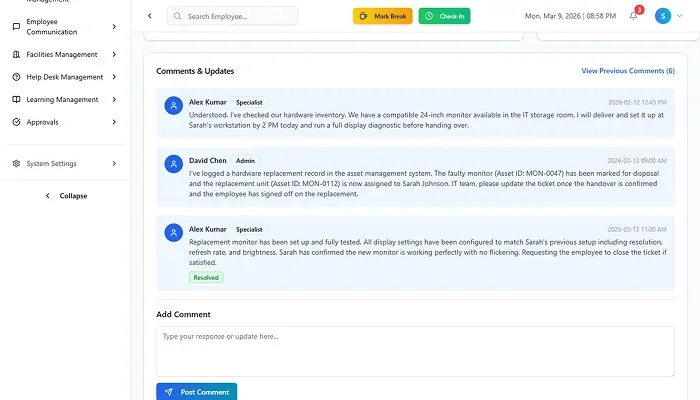
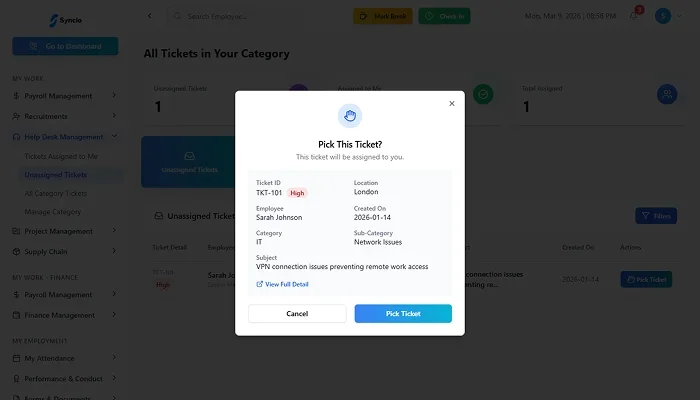

Real Synclo screens with sample company data.

Type a request and watch it run
Click a request, or let the demo play.
Demo with sample company data.
Alci picks up the routine and offers to take it over
After watching how your team handles repeat requests, Alci offers to handle similar cases itself. You approve once, and you stay in control.
Repeat requests
Your team solves password resets with the same three steps. I can handle these from now on and pass anything unusual to IT.
You approve it once. Anything unusual still comes to you, and you can switch it off any time.
What's included in Resolve
Every feature shares the same data with the rest of Synclo, so nothing is typed twice.
Tickets
Create, assign and follow every ticket in one place.
Routing and escalation
Tickets go to the right team and escalate automatically.
Conversation history
Every message with each customer, kept on record.
Support reports
Response times and resolution rates, always current.
Works with the rest of Synclo
Same people, customers and numbers across every module.
Connects with
The tools your Resolve team already uses.
Inside Resolve
Screens from the live product, shown with sample company data.
Resolve features, in full
12 capabilities in three groups, all sharing data with the rest of Synclo and all run by asking Alci.
Every request in one place
- Multi-channel inboxEmail, live chat and social requests in a single queue.
- Internal and external supportCustomer support, IT and HR requests, each with its own workflow.
- Ticket automationRoutine ticket actions handled automatically.
- Knowledge baseA searchable knowledge base for agents and self-service for customers.
Faster resolution
- AI prioritisationTickets ranked by urgency, sentiment and history.
- Smart routingTickets sent to the right team or agent by rules, skills and workload.
- Response templatesReady replies for common issues, drafted by Alci when needed.
- SLA monitoringService deadlines tracked live, with escalation before a breach.
Quality and insight
- Sentiment analysisUnhappy customers flagged from the tone of their messages.
- Satisfaction trackingCustomer feedback collected and tracked over time.
- Support dashboardsVolumes, response times and resolution times in real time.
- Full accountabilityEvery update, action and owner change recorded on the ticket.
Questions about Resolve
What does Resolve manage?
Can we use it for internal and customer support?
How does it help us respond faster?
Is there a full history on every ticket?
Which channels does it support?
Does it connect to the other modules?
More questions? Visit the help center or talk to our team.