
Product / Supply Suite
Supply Suite · Supply chainInventory, purchasing and suppliers, with a warning before stock runs out.
Live inventory across every location, with purchasing, suppliers and shipments in one place. Alci tells you what runs out before it does.
Already on SAP or Oracle? Connect it first
Where the work usually gets stuck
This is what Supply Suite looks like in most companies today, for the business and for the people doing the work.
The shelf is empty, the order is late, and the supplier says nobody ordered. Synclo reads your stock across every location and warns you first.
Every stockout sends a customer somewhere else.
Overstock ties up money that should be working.
Without records, the same supplier is late again and again.
“I count stock by hand every week.”
“Every purchase order waits days for an approval.”
“I phone three warehouses to find one item.”
The same week, told twice.
First the way it usually goes, then with Synclo on the team. Same work, same people — watch the number.
What happens after you upload your first file
Synclo reads your Supply Suite data once. After that, a few words are all it takes. Click any step, or watch it play.
- 1
Read
Reads stock, orders, suppliers and shipments.
You typeUpload our stock sheetRead 3,400 items across 4 warehouses - 2
View
See what runs low, everywhere, before it does.
You typeWhat runs out this week?3 items run out before Friday - 3
Edit
Move and adjust stock by saying so.
You typeMove 200 cartons from Warehouse B to A.200 cartons moved to Warehouse A - 4
Run
Run purchasing with one command.
You typeReorder everything below safety stock.3 purchase orders ready to approve - 5
Learn
Learns your usual orders, and reorders routine items itself.
You typeHandle cases like these from now on.Autopilot now places routine reorders
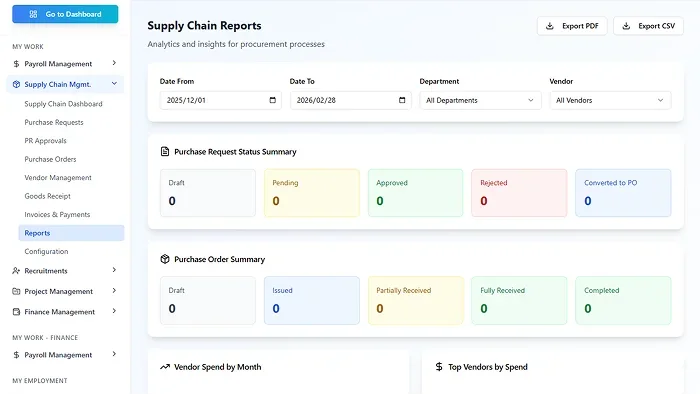
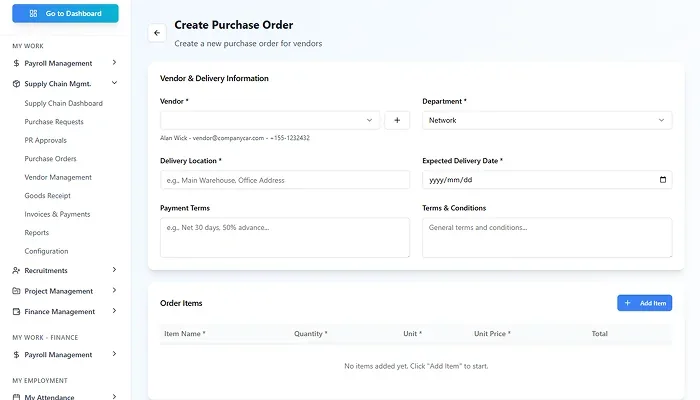

Real Synclo screens with sample company data.

Type a request and watch it run
Click a request, or let the demo play.
Demo with sample company data.
Alci picks up the routine and offers to take it over
After watching how your team handles routine reorders, Alci offers to handle similar cases itself. You approve once, and you stay in control.
Routine reorders
You reorder packing supplies from Delta or Brightway whenever stock drops below 10 days. I can place these orders automatically, within your budget limits.
You approve it once. Anything unusual still comes to you, and you can switch it off any time.
What's included in Supply Suite
Every feature shares the same data with the rest of Synclo, so nothing is typed twice.
Inventory
Real-time stock levels across every warehouse and store.
Purchasing
Procurement, supplier coordination and order approvals in one flow.
Supplier performance
Supplier records and on-time ratings, kept current.
Forecasting
Supply chain analytics and demand forecasts.
Works with the rest of Synclo
Same people, customers and numbers across every module.
Connects with
The tools your Supply Suite team already uses.
Inside Supply Suite
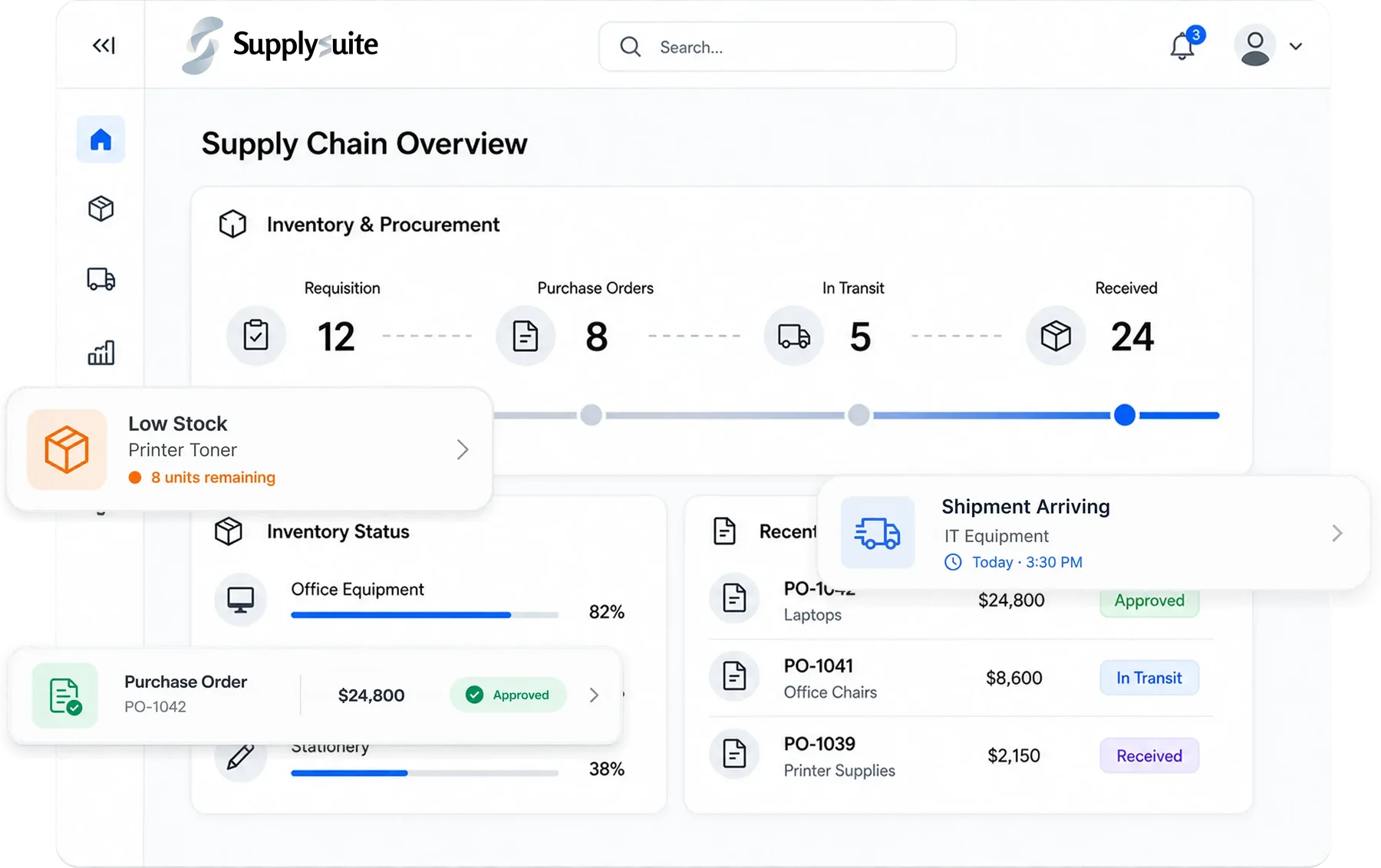
Screens from the live product, shown with sample company data.
Supply Suite features, in full
12 capabilities in three groups, all sharing data with the rest of Synclo and all run by asking Alci.
Buy
- Purchase requests and ordersRequests, approvals and purchase orders in one workflow.
- Automatic replenishmentStock reordered when it reaches the level you set.
- Vendor managementSupplier details, history and performance in one place.
- Supplier riskAI checks supplier reliability and lead times and flags risks.
Store
- Inventory trackingStock levels across every location, live.
- Multi-warehouseStock movement tracked between warehouses and sites.
- Demand forecastingAI predicts demand so you stock enough without overstocking.
- TraceabilityProducts followed from supplier to customer for compliance.
Deliver
- Shipment trackingDeliveries tracked in real time, with carrier performance.
- Shipping cost optimisationThe best delivery option chosen by distance, weight and urgency.
- Supplier collaborationOrder, stock and delivery updates shared with suppliers.
- Supply chain analyticsTurnover, fulfilment rates and supplier performance on one screen.
What our customers say.
Synclo improved inventory visibility, vendor coordination, and order fulfillment as we scaled.
 Daniel WinstonHead of Supply Chain & Operations, Echo Leather · United States
Synclo centralized our inventory, compliance, and team workflows, improving visibility and day-to-day execution.
 Aman AliManaging Partner, Phlox Pharma · Pakistan
Questions about Supply Suite
What is Supply Suite used for?
How does it improve procurement visibility?
Can it help us manage vendors?
Does it help control costs?
Does it handle several warehouses?
Does it connect to finance?
More questions? Visit the help center or talk to our team.